Author: Rajeshwaran SP

  • Rake Migrate – Aborted!

    Trying out a sample application using rails, I faced a problem, getting the database tables created (migrated) using ‘rake’. Running the command

    rake migrate

    threw the following error

    (in /home/rajesh/Programming/rails/todolist)
    rake aborted!
    Don't know how to build task 'migrate'
    
    (See full trace by running task with --trace)

    The search on internet forums only said that ‘rake migrate’ should do the job, but to no avail.

    The actual command to get the tables created is

    rake db:migrate

    Hope this helps!

  • Installing LAMP in Ubuntu

    Following are the steps to get Apache, MySQL and PHP installed on a Ubuntu system.

    Installing Apache:

    In the terminal window issue the following command

    sudo apt-get install apache2

    To test if Apache has installed successfully, open a browser and browse to http://localhost. A message “It works” will be displayed.

    Installing PHP

    In the terminal window issue the following command

    sudo apt-get install php5 libapache2-mod-php5

    Once the installation is complete, to get php working, restart apache server by issuing the following command

    sudo /etc/init.d/apache2 restart

    To test that PHP has been successfully installed, quickly create a test PHP script

    sudo gedit /var/www/test.php

    In the gedit window, type a script and save the file

    Open up a browser window and open the test.php file created. The PHP application environment information will be displayed.

    Installing MySQL

    In the terminal, run the following command

    sudo apt-get install mysql-server

    That should get mysql installed. You will be prompted for a ‘root’ db user password. Enter it.
    To test mysql, in the terminal issue,

    mysql -u root -p

    Enter the root user password for mysql server. You will be launched into the mysql prompt.

    Installing phpMyAdmin

    To install phpMyAdmin, issue the following command at the terminal

    sudo apt-get install libapache2-mod-auth-mysql php5-mysql phpmyadmin

    To test phpmyadmin, open a browser and navigate to http://localhost/phpmyadmin.
    Thats it!
  • Free!

    Free, I have broken free, free from proprietary software in my personal life.

    I have decided to use only software that are free. Making that move wasn’t that easy, got to leave the comfort of Windows and MS Office, the one’s I have been used to since I started using computers. I have not broken free from the entire MS world of software, coz I make my living coding in C#, I have a Express Edition of Visual Studio for the learning that is needed to keep me hands-on up-to-date on the technology.

    For office suite, I have resorted to OpenOffice 3. It does the job well for me. Chrome for a browser and NetBeans IDE for development is all I need. It is a nice feel to be just using free software, at least I know I have not stolen other’s money. I respect another software engineer, for his work.

    Here is a nice quote, from the famous film, The Shawshank Redemption where Morgan Freeman says,

    “Some birds aren’t meant to be caged, their feathers are just too bright, and when they fly away… the part of you that knows it was a sin to lock them up does rejoice…” – The Shawshank Redemption.

    I feel I’m one of those birds which is not supposed to be caged, and I have grown one feather that is going to help me in my flight..

  • Nice quote

    There was this tweet from Mobands“Most people live and die with their music still unplayed. They never dare to try.” today. Don’t know whose quote it is, but it is true.

    Most people out there just live a life, they just want to pass away all their time, just like sitting in a bus and sleeping till the destination is reached, on the way to a beautiful hill station. There are lot of things to enjoy in the journey, sceneries, flora and people. The entire thing that renders the beauty of the landscape. 

    Shall we call it Fear of Failure, that keeps one away from trying. Most of us want to lead a life, just like others. We forget, one is a individual, who can play a part in changing. I am reminded of Robert Frost’s, ‘The Road Not Taken’, poem. He concludes it by saying, “I took the one less travelled by, and that has made all the difference…”. 

    Play the music, Live life…

  • Cows and Bulls game

    Cows and Bulls is a small word building game, implemented in C# as a Windows Application. Feel free to download and play around with it. CowsNBulls is in its version 0.0.0.1 and in beta testing.

    The game began in the last bench of my college, MIT where we used to play this game. It was Barath Kumar, my friend who introduced this game to us. Thought of computerizing it and so here it is. 

    Download the game and do let me know your comments.

    Edit: For a web only version of the game, visit: www.raasukutty.net

    The web only version is developed using HTML, Javascript and jQuery. For all the developers out there, check out the source using view source.  All suggestions are welcome.

    Happy gaming!

  • Ascendas, Chennai

    Ascendas, Chennai – An IT park in Chennai city. I was there today for a colleague’s birthday treat. This was my first visit to Ascendas. It was mind blowing. It is a large complex, and the food court is very large. From McDonald’s to KFC to Hotel Saravana Bhavan everything is there.

    The interior is great, ascentuated tables and chair add to the beauty of the well maintained place. Adding to this beauty are the … what do I call … beauties… figures… ladies… colors… no words!!! There were quiet a lot of visitors and from what I hear, the place is frequented by hi-fi girls a lot.

    The treat was a real feast, to the heart, the stomach and the eyes!!! We enjoyed KFC 12 piece bucket, Fried Rice and side dishes. Thanks to the birthday boy, Mr. Jegan Kannan.

    Looking forward to another day to be in Ascendas….

  • Rails: Error with MySQL in welcome screen

    After installing rails, to test it, I created a rails application using the following command at the command prompt.

    rails -d mysql todolist
    

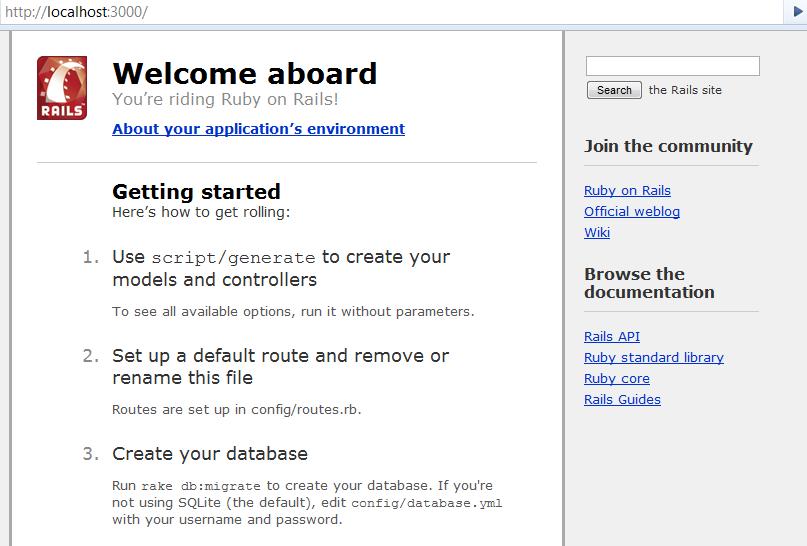
    Pointing to http://localhost:3000 displayed the expected Welcome message.


    Welcome Message
    Welcome Message

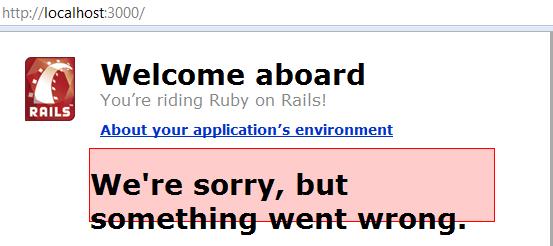
    But then clicking on the About your application’s environment displayed a error message like below.


    Error in Rails
    Error in Rails

    That’s the least thing I expected. Digging into the development.log file located in the project log directory, displayed the actual error message, “Client does not support authentication protocol requested by server; consider upgrading MySQL client”.

    Looking into the web for help, the problem with the way rails (as a client) was trying to access MySQL server. Rails uses a old password hashing used in MySQL 4.1, and the current version that I am running is MySQL 5.0. This had caused the error. The fix is running the following script in mysql prompt.

    mysql> SET PASSWORD FOR 'railsuser'@'host' = OLD_PASSWORD('password');
    

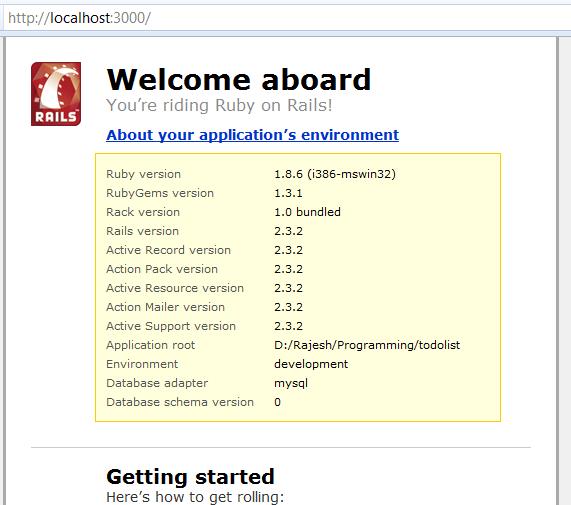
    That fixes it and you would get the following screen.

    Success message
    Success message
  • CSS Strip Day

    What happened to the design?

    To know more about why styles are disabled on this website visit the
    Annual CSS Naked Day
    website for more information.

    So http://www.raasukutty.com is stripped.

  • I am Lazy

    Procrastination- This is one thing that I and all my friends share in common. We think of doing something, but we will always defer to some other day.

    We have been postponing repairing the bike for nearly a month now. Just today we got the tube light fixed after living without a tube light in the bed room for two months. We have postponed getting the washing machine service till the end of next week. All these are not for the want of money or something, just that we are lazy to get them done.

    I have a lot of books on my book rack, wanting to be opened and read. Logo for this site lying around in paper yet to be converted to an image in Illustrator. Lot more work to do. But I am lazy. So what!

    Sometimes I think, I got to change, but I even postpone that decision to be done later. Height of Laziness.

  • C#: Sorting a DataTable

    Sorting the result in a DataTable’s select command can be done as below.

    DataTable table = dataSet.Tables[0]; // Get a datatable from the dataset.
    DataRow[] row = table.Select("id = 500", "name desc, age asc"); // Get from table, where id = 500 order by name desc and age desc.
    

    The first argument to the select is the filter condition, the second argument is the sort option.

    Trying to use,

    DataTable table = dataSet.Tables[0]; // Get a datatable from the dataset.
    DataRow[] row = table.Select("id = 500 order by name desc, age asc"); // Get from table, where id = 500 order by name desc and age desc.
    

    will result in a error “Missing operand before order”.