Category: Open Source

  • Jupyter Notebook for C# – Install Guide

    If you are trying to install and try Jupyter Notebook for .Net (C#), you will see a lot of install instructions for the .Net Core 3.1.2 with dotnet-try command. .Net Core 3.1.2 is out of support. I had the same issue here and in this post, I am trying to document how to get Jupyter Notebook on my Windows machine to work with .Net code support.

    Install .Net Core Runtime

      Get the latest version of .Net Core installed from https://dotnet.microsoft.com/en-us/download. The version as of this writing is .Net 8.0

      Install dotnet-interactive

      Next, open up a terminal window and run the command below to install dotnet-interactive. You will receive a successfully installed message.

      dotnet tool install --global Microsoft.dotnet-interactive

      Install Jupyter

      In the terminal window issue the following command

      dotnet-interactive jupyter install
      

      Download and Install Anaconda

      This is required to run the Jupyter kernel. https://www.anaconda.com/download#
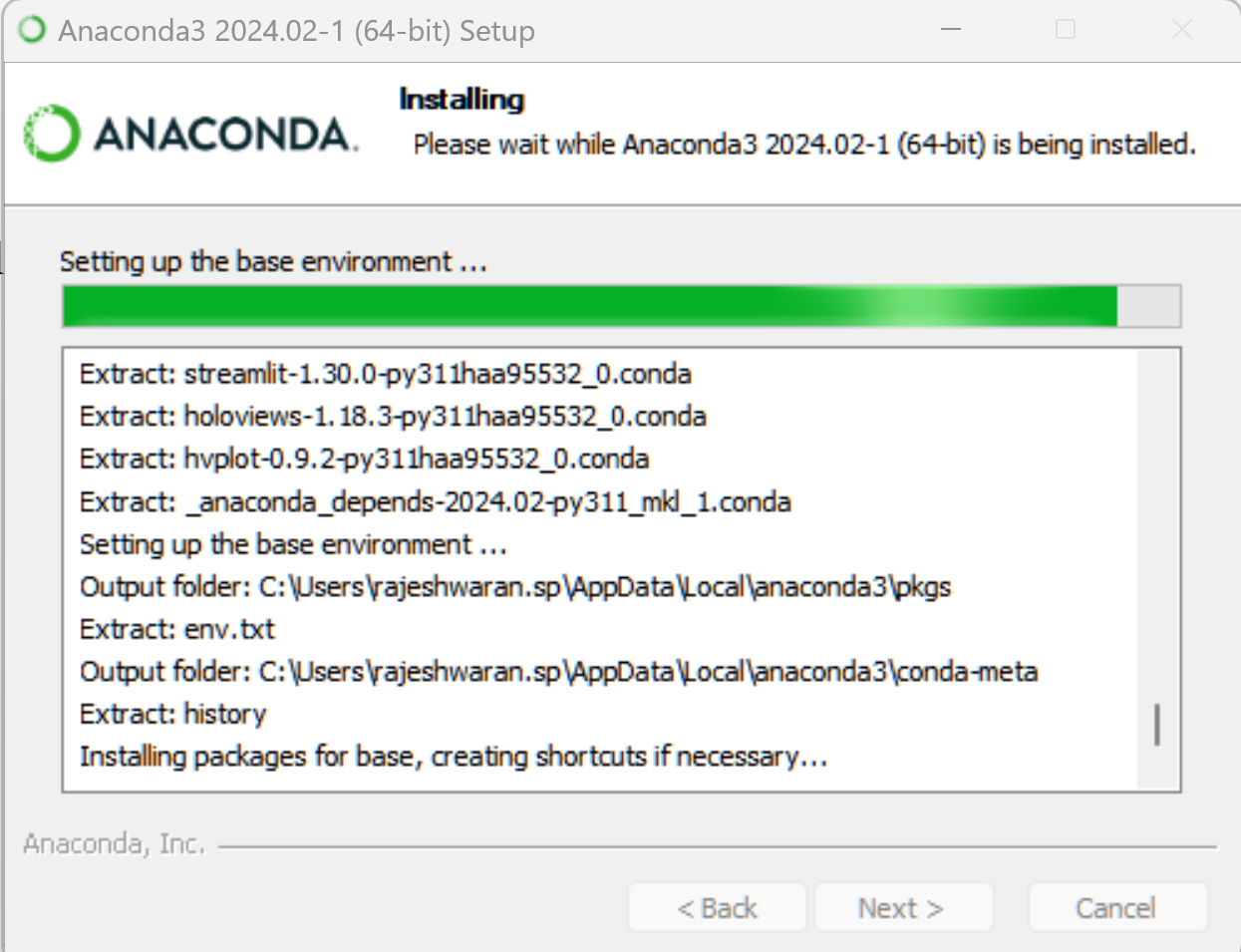
      Open Anaconda Prompt from the Start Menu. You can try the .Net CSharp for Jupyter by issuing the following command in the Anaconda prompt

      jupyter kernelspec list
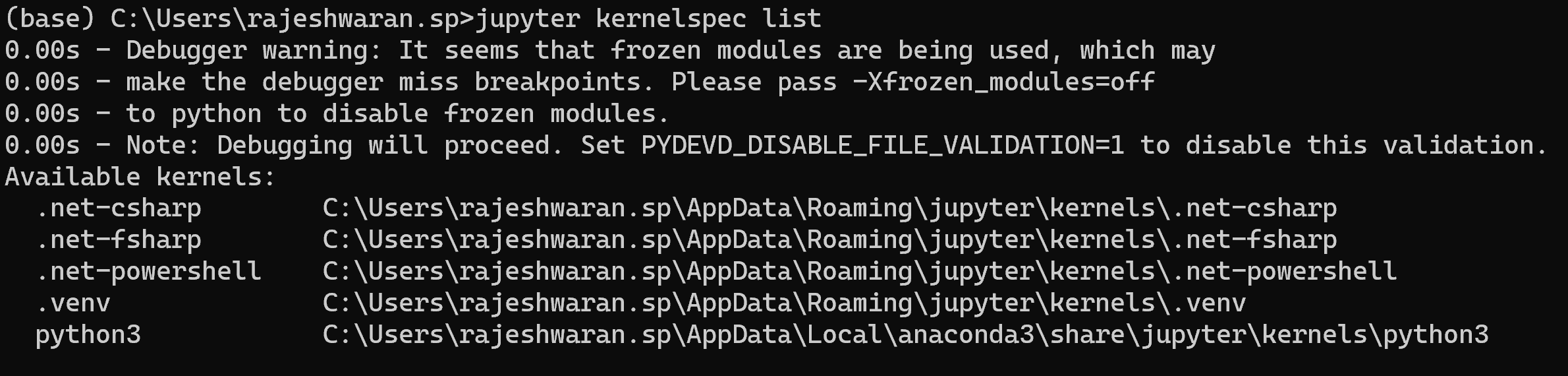
      Now execute the following command to start a new notebook. This will start a browser instance with a new jupyter notebook web version interface.

      jupyter notebook

      Click on the ‘New’ button on the right top corner to create a new notebook.
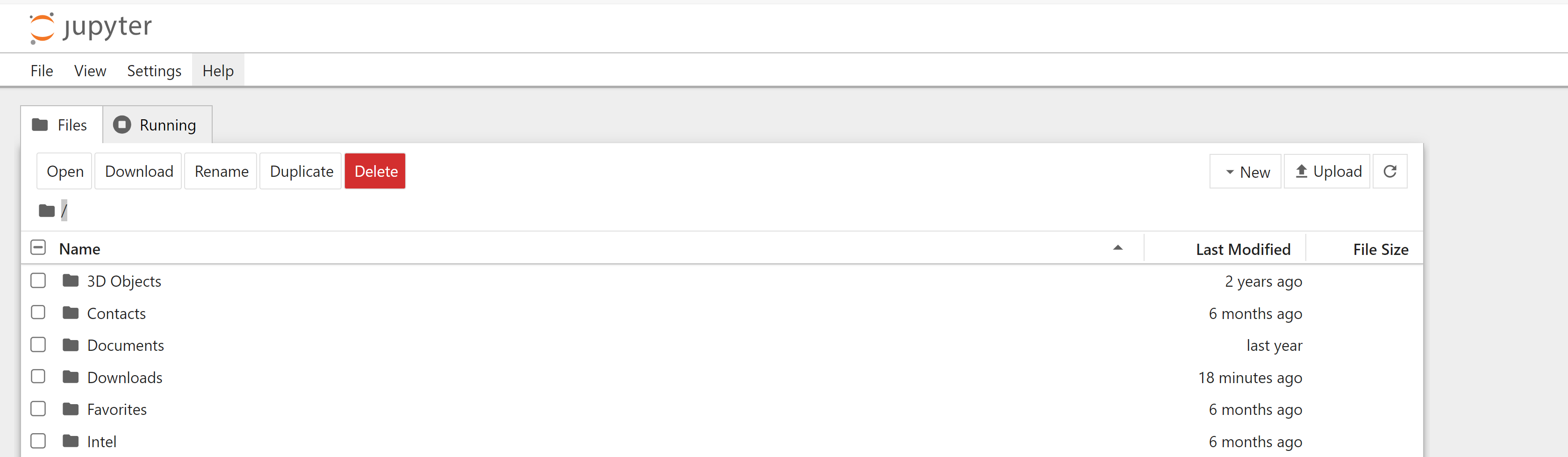
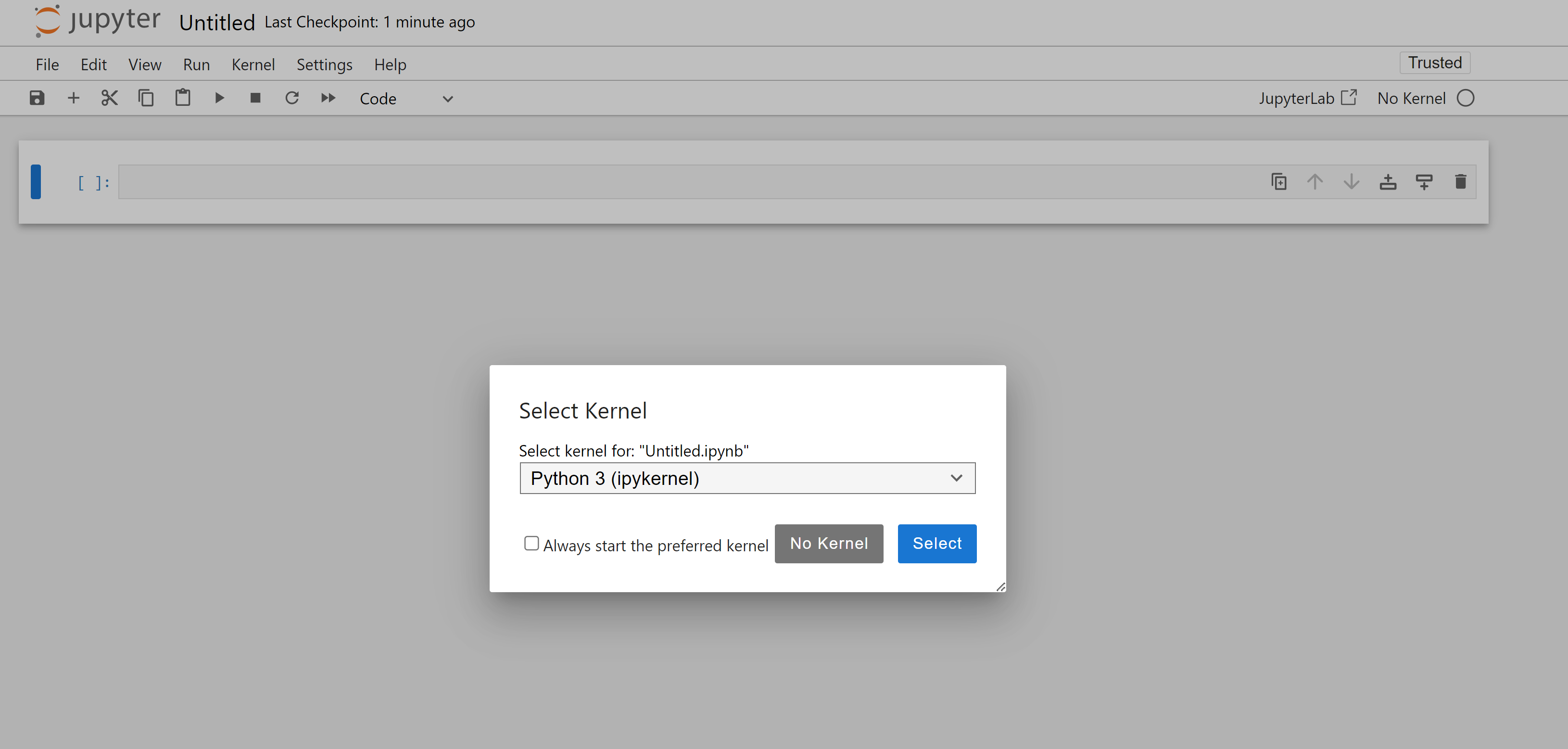
      In the new notebook, you can pick the .Net (C#) kernel
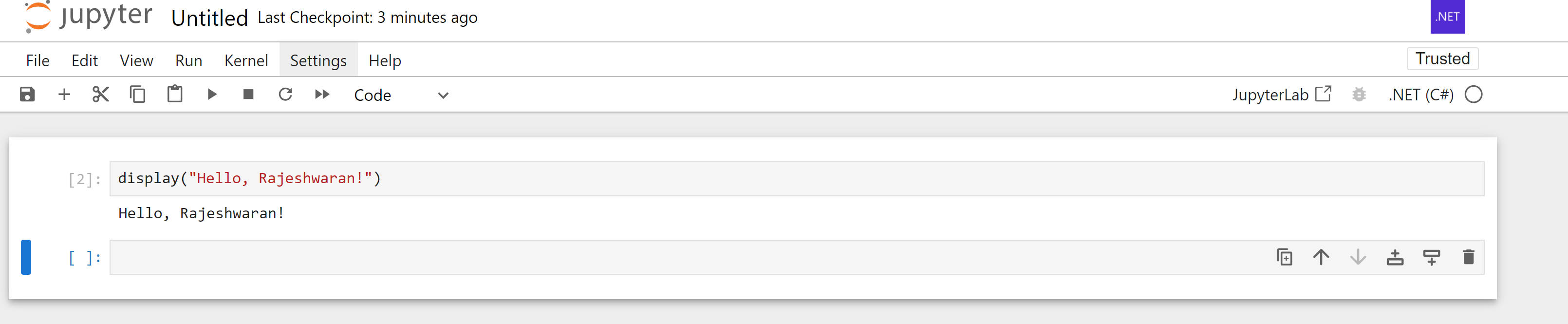
      You have a Jupyter Notebook that supports C#
    1. Trying .Net development on Mac

      Since my primary work involves programming with .Net, I have not used my personal laptop for programming other than fiddling with Python and Ruby sometimes.

      With .net core now supporting all platforms, want to start trying out development on Mac. Taking the first step towards that and installing Docker.

      Docker Install on Mac

      Will update the blog on my experience with .Net on Mac. Hello World to C# on Mac.

    2. ILSpy – .Net Reflector alternative

      Since the free version of the .Net Reflector that I have will not longer be free from 5/30/2011, I started the hunt on the next available free alternative to .Net Reflector.

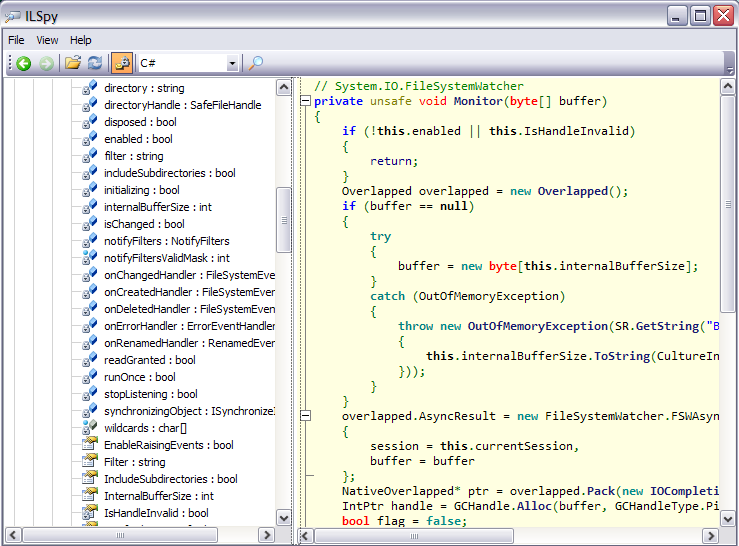
      ILSpy – This is a open source implementation of the reflector and I suppose it remains free.

      It works similar to the .Net Reflector and has the same interface. Instead of the Green colored code, we get a nicely formatted, syntax highlighted code from the ILSpy.

      ILSpy in action
      ILSpy in Action

      Try it!

    3. Customize Terminal Prompt

      In Mac OS X terminal, to customize the terminal prompt, edit the .bash_profile file to include the following line

      export PS1=""

      Following options are common:

      \d - current date - e.g. 11/09/2010
      \w - full path to current working directory - e.g. ~/Users/Raj/Documents
      \W - current working directory - e.g. Documents
      \u - username -e.g. Admin

      I use the following for my prompt:

      export PS1="[\W$ ]"

      You can use any editor to edit the .bash_profile file. This file is located in your home directory (~)

    4. Free Software

      I am writing this post using WriteRoom, one super working space on my new laptop Macbook Pro.  I got this one as one major purchase after I landed in US.

      I gave up my only companion the PC, to which I have been faithful since my beginning days in computers for a new Mac. Why did I take the decision? I still use Microsoft’s own Visual Studio in office for my development activities. So half of my time, I am on a PC and the remaining time I am on Mac. They both are a different culture. Everything about Mac, at least my first feel of Mac is it is beautiful.

      Design – It is Apple’s forte. It has that good finish, wonderful, artistic and everything about it. That is what captured me to it. Being a designer myself, I wanted to own it, and it just happened that I did it in the home of software development.

      I have no regrets with Windows or Linux, the two other operating systems I have used fairly so far. The first software that I have licensed, other than the OS is TextMate. It was a worthy buy. So I have bought a license for it. It feels good to own and work on licensed software. I feel as if I own it. I feel that I respect the work that goes into the making of it. I love open source and free softwares. If there is some great work going on, and you can provide your own contributions to it, yes pay them. It is not for the software, but the people behind it.

      In India, we use pirated software all the time. Piracy is nothing. Everyone has a copy of Windows, Office running on their machines. The cost of software in Indian currency is much higher compared to the US counterparts. People don’t like to pay for just a CD. We are used to the belief that if you pay more, you get more. For something as big as Rs. 13,000/- a CD doesn’t suffice, we look for something more bigger. We are used to thinking that way, just like grocery and furniture shopping.

      Since, everyone is used to using Windows, no one wants to move from the comfort zone offered by it and embrace free software. There has to be paradigm shift, if people should start buying software.

      How can that be achieved. It won’t/can’t happen immediately. Schools should start using Linux and open source softwares. Students must be encouraged to read code, tweak existing programs so that they get what they want. They must get that idea, the machine does only what they want it to do, rather than stand amazed at seeing the computer working. After all it is what it is programmed for. Then as they grow up, they will start appreciating software and by the time, they get their own computers, they get to choose what they want. They can buy a Windows or a Mac, or write their own operating systems.

      Lets make this happen!

      After all, it is necessity that is the mother of all inventions.

    5. Ubuntu Panel Missing!

      When I logged into the machine today, I was shocked to see no panel appearing on the ubuntu desktop. I thought the computer has hung. But when I right clicked the desktop, I got the regular pop-up menu and was able to change desktop wallpapers.

      Here is what I did to get the panel back. With the desktop without the panel and not remembering any of the shortcuts, it was quiet difficult.

      First, I created a launcher for Terminal. Right Click on any area on the desktop and then choose ‘Create Launcher’. Choose any name and then in the command text box, type in

      terminal

      This should create a terminal launcher. That done, double click to open a terminal session. Enter the following command,

      killall gnome-panel

      Then right click on the desktop to create another launcher. This time in the command text box, type in

      gnome-panel

      This creates a gnome-panel launcher. Double click and viola! you have the Panel.

    6. Fixing libmysql.dll issue in Rails

      To fix the error, “This application has failed to start because LIBMYSQL.DLL was not found. Re-installing the application may fix this problem.”  while working on rails using mysql as the database, 

      Copy the libmysql.dll found in the mysql installation directory (mysql\bin) and paste it in your ruby installation directory (ruby\bin)

      Restart the server and viola, the error is fixed.

    7. What does it mean to be Free?

      Here is a nice video on what we mean, when we say Free…

    8. Free!

      Free, I have broken free, free from proprietary software in my personal life.

      I have decided to use only software that are free. Making that move wasn’t that easy, got to leave the comfort of Windows and MS Office, the one’s I have been used to since I started using computers. I have not broken free from the entire MS world of software, coz I make my living coding in C#, I have a Express Edition of Visual Studio for the learning that is needed to keep me hands-on up-to-date on the technology.

      For office suite, I have resorted to OpenOffice 3. It does the job well for me. Chrome for a browser and NetBeans IDE for development is all I need. It is a nice feel to be just using free software, at least I know I have not stolen other’s money. I respect another software engineer, for his work.

      Here is a nice quote, from the famous film, The Shawshank Redemption where Morgan Freeman says,

      “Some birds aren’t meant to be caged, their feathers are just too bright, and when they fly away… the part of you that knows it was a sin to lock them up does rejoice…” – The Shawshank Redemption.

      I feel I’m one of those birds which is not supposed to be caged, and I have grown one feather that is going to help me in my flight..

    9. Rails Installation

      Installing Rails needs a lot of patience. The command is simple “gem install rails”. But it is a resource hungry and a time consuming installation.

      I started the installation at 00:00:00 HRS and it is 03:22:23 HRS now and the installation is still going on.

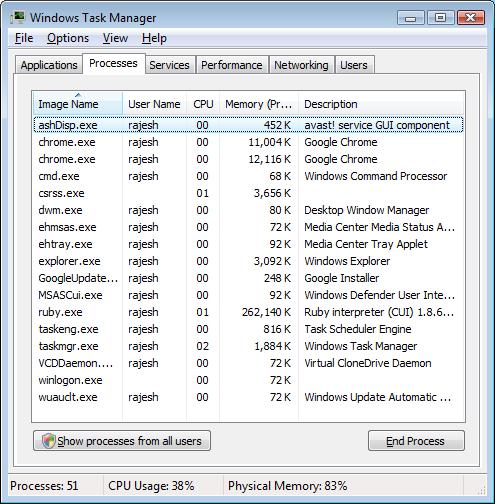
      And look at the memory footprint of the ruby program that is installing rails.

      Mem footprint
      Mem footprint

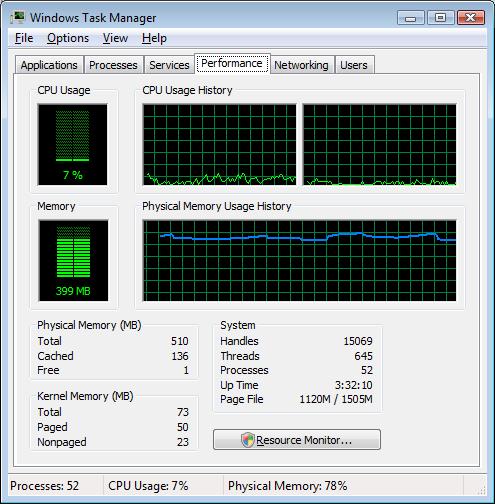
      And here is the Performance Statistics:
      Performance Stats

      Why is an installation taking such a long time?