Category: Programming

  • Why I hate Reports?

    I hate Reports. Reports as in Crystal Reports, Sql Server Reporting Services.

    I was pondering over the question, why do I hate reports? this entire day. Do I simple hate them? Did it have something to do with the way I look at them? Is it because, I have always seen it in the wrong way? Was it that I hated it from the first that I am getting an aversion towards it?

    My first work with reports was in 2007. I really hated the way Crystal Reports did the formatting. Even though, I had very little space between the columns, it always rendered it with more space, and I would be questioned on why there was more space? How will I know? That would be my answer. Only when I had one column laid literally over the other, did it give a small space. It all started there! And it is still continuing.

    I thought only Crystal Reports was like that! Now SSRS (SQL Server Reporting Services) is even more terrible. I understand that Reports are more important requirements in any project. They are the way of letting people see, decide and plan on what has to be done. Any software solution provider will have reporting requirements that need to be done. I tried to even start reading books on Reports, but something is wrong in the way that I understand them. I write SQL, but somehow, I hate it when it comes to reports. It must be the way I perceive it, but really, Reports / Data Analysis is really not my cup of tea! I really can’t get over this feeling. I want to learn it, but simply I can’t.

    I hate you Reports! But somehow, I have to do it! Get it done!

  • .Net 4.0 Client Profile

    .Net 4.0 introduces the concept of Client Profile. I came to know about it when I was adding references to my project file. Even though, I had added a few assemblies in the project reference, the compiler was complaining of not finding the namespaces in the references that I have added during compilation.

    The project was a Windows Form Application. I opened up the Project Settings Page to see that the

    Target Framework was .Net 4.0 Client Profile.

    I changed it to .Net 4.0 Framework. Everything worked fine.

    So to get past the error of missing namespaces, even though the assemblies having been added, check to make sure that the Target Framework is not in the Client Profile.

  • Converting Rows to Columns in SQL

    There was this table,

    ORG_ID     LEGACY_ORG_CODE
    ------      ------------------
    1001         8909
    1001         12323
    1002         80909
    1002         78798
    1002         09009

    and the requirement was to get the concatenated legacy_org_code like

    ORG_ID     LEGACY_ORG_CODE
    ------      ------------------
    1001         8909, 12323
    1002         80909, 78798, 09009

    The solution to this is:

    SELECT PL.ORG_ID,
    	(SELECT LEGACY_ORG_CODE + ','
    		FROM SGT_ORG_PLAN ORGPL
    		WHERE ORGPL.ORG_ID = PL.ORG_ID
    		ORDER BY LEGACY_ORG_CODE
    		FOR XML PATH(''))
    	 AS ORG_CODE
    FROM SGT_ORG_PLAN PL
    GROUP BY PL.ORG_ID

    I was looking for simple answers on the web I came across this link, that helped me to get it done in a simple SQL statement. Recording it here for future reference. This technique is called Blackbox XML.

  • New Look : Arjuna Theme

    One among the new year resolution is done. And on the same new year’s day. My site now has a new look. I have been wanting to do this for more than a year now, and I never pushed myself to sit and do it. What better time to do it, than in the vacation. And so, here is the new look for the site. I have decided to call the new theme “Arjuna”.

    Arjuna: means ‘white’, ‘clear’. It is a Sanskrit word, and the name of one of the Pandavas, in the Mahabharata.

    This theme is a white theme, minimal, and subtle in expression. Being my first side project, I was a bit confused in choosing a name. I chose this because, it was somehow connected to the ancient literature of my own country.

    Feel free to download, test and report any bugs that you encounter.

  • C#: Calculate Age in Years, Month and Days

    Today I was given the task of finding the age of a person, provided the birth date. When I was given the task, I just said, just use the DateDiff function. But it is not that simple.

    One thing I wanted was to keep the code simple and in a few lines of code. Here goes my first iteration.

             static void CalculateAge()
            {
                DateTime dateOfBirth;
                DateTime.TryParse("02/18/2008", out dateOfBirth);
                DateTime currentDate = DateTime.Now;
    
                TimeSpan difference = currentDate.Subtract(dateOfBirth);
    
                // This is to convert the timespan to datetime object
                DateTime age = DateTime.MinValue + difference;
    
                // Min value is 01/01/0001
                // Actual age is say 24 yrs, 9 months and 3 days represented as timespan
                // Min Valye + actual age = 25 yrs , 10 months and 4 days.
                // subtract our addition or 1 on all components to get the actual date.
    
                int ageInYears = age.Year - 1;
                int ageInMonths = age.Month - 1;
                int ageInDays = age.Day - 1;
    
                Console.WriteLine("{0}, {1}, {2}", ageInYears, ageInMonths, ageInDays);
            }

    But then, there were problems with this method. If the current date is ’06/18/2009′ and the birth date was ’04/18/2000′, it returns, 9 yrs, 2 months and 2 days. The 2 days part is wrong. I didn’t have any clue as to why it appears.

    Then I went down to the basics, using elementary mathematics of subtraction. Here goes the second iteration of the code.

            static void CalculateAge2()
            {
                DateTime dateOfBirth = new DateTime(2000, 6, 18);
    
                int ageInYears = 0;
                int ageInMonths = 0;
                int ageInDays = 0;
    
                CalculateAge(dateOfBirth, out ageInYears, out ageInMonths, out ageInDays);
    
                Console.WriteLine("{0}, {1}, {2}", ageInYears, ageInMonths, ageInDays);
            }
    
            ///
            /// Calculate the Age of a person given the birthdate.
            ///
            static void CalculateAge(DateTime adtDateOfBirth, out int aintNoOfYears, out int aintNoOfMonths, out int aintNoOfDays)
            {
                // get current date.
                DateTime adtCurrentDate = DateTime.Now;
    
                // find the literal difference
                aintNoOfDays = adtCurrentDate.Day - adtDateOfBirth.Day;
                aintNoOfMonths = adtCurrentDate.Month - adtDateOfBirth.Month;
                aintNoOfYears = adtCurrentDate.Year - adtDateOfBirth.Year;
    
                if (aintNoOfDays < 0)
                {
                    aintNoOfDays += DateTime.DaysInMonth(adtCurrentDate.Year, adtCurrentDate.Month);
                    aintNoOfMonths--;
                }
    
                if (aintNoOfMonths < 0)
                {
                    aintNoOfMonths += 12;
                    aintNoOfYears--;
                }
            }

    And it works like a charm for all scenarios I throw upon it.

    Scenario 1:
    Current Date : 15 – 09 – 2009
    Birth Date : 09 – 03 – 2000

    Just a difference gives the result
    Age : 6 – 6 – 9 Result is 9 yrs, 6 months, 6 days.

    Scenario 2:
    Current Date : 15 – 09 – 2009
    Birth Date : 28 – 07 – 2000

    Here since 15 – 28 < 0: we borrow one from the month and then add the no of days in the month to the current date. 15 + 30 = 45: 45 – 28 = 17 days
    Then since one month is borrowed: 08 – 07 = 01 months
    Remaining is normal difference
    Age : 17 – 1 – 9 Result is 9 yrs, 1 months, 17 days.

    Scenario 3:
    Current Date : 15 – 09 – 2009
    Birth Date : 28 – 12 – 2000
    Here since 15 – 28 < 0: we borrow one from the month and then add the no of days in the current month to the current date. 15 + 30 = 45: 45 – 28 = 17 days
    Then since one month is borrowed: 08 – 12: So we are supposed to borrow a year and add no of months in current year to current month. 08 + 12 = 20: 20 – 12 = 8 months
    Since a year was borrowed: 2008 – 2000: 8 yrs
    Remaining is normal difference
    Age : 17 – 8 – 8 Result is 8 yrs, 8 months, 17 days.

    But I know there must be better ways to do it. Feel free to drop in code snippets. Comments too are most welcome.


  • Programming Fonts

    Little lately, I am obsessed in finding the best font to use, when I do the coding. I try to keep the same font across all editors and IDE’s that I use. The first font that I loved was ‘Courier New’ set at 10pt.

    Then with VS2008 came in a new attraction for Consolas a true type font from Microsoft. Consolas is really good. And it appears even better on TextPad, jEdit and VS2008 IDE.

    Last month, I began using Anonymous font. I would have sworn by it, if not for Monaco.

    Now I use only Monaco. Smooth and pleasing! So what fonts do you use.

  • Rails: Error with MySQL in welcome screen

    After installing rails, to test it, I created a rails application using the following command at the command prompt.

    rails -d mysql todolist
    

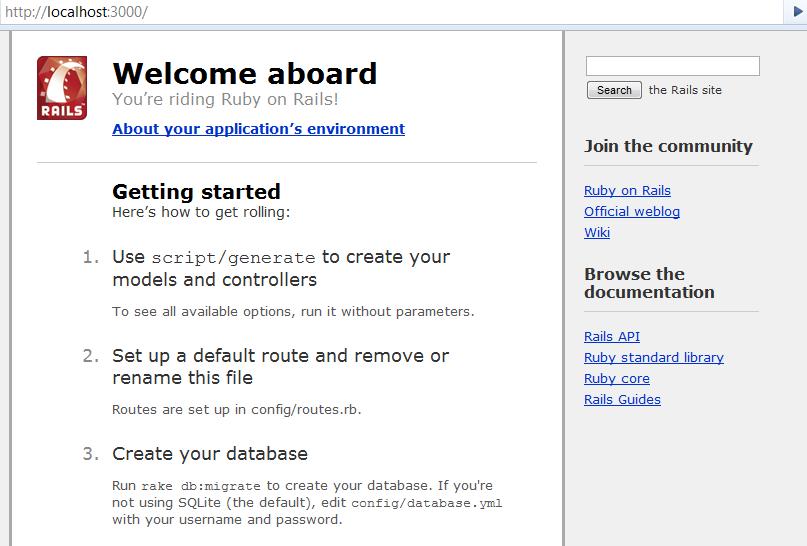
    Pointing to http://localhost:3000 displayed the expected Welcome message.


    Welcome Message
    Welcome Message

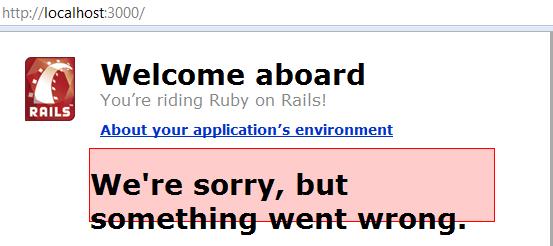
    But then clicking on the About your application’s environment displayed a error message like below.


    Error in Rails
    Error in Rails

    That’s the least thing I expected. Digging into the development.log file located in the project log directory, displayed the actual error message, “Client does not support authentication protocol requested by server; consider upgrading MySQL client”.

    Looking into the web for help, the problem with the way rails (as a client) was trying to access MySQL server. Rails uses a old password hashing used in MySQL 4.1, and the current version that I am running is MySQL 5.0. This had caused the error. The fix is running the following script in mysql prompt.

    mysql> SET PASSWORD FOR 'railsuser'@'host' = OLD_PASSWORD('password');
    

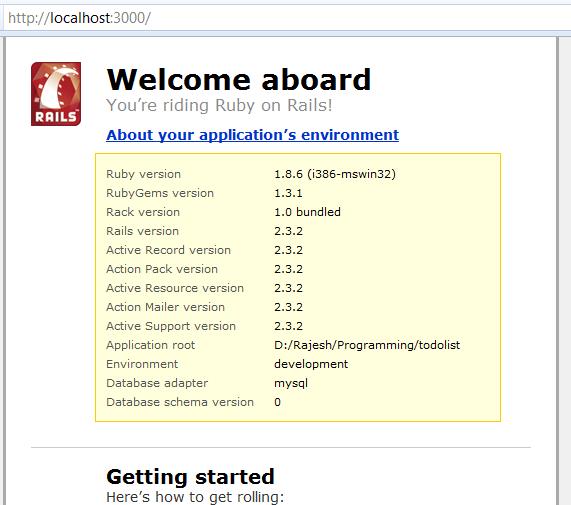
    That fixes it and you would get the following screen.

    Success message
    Success message
  • C#: Sorting a DataTable

    Sorting the result in a DataTable’s select command can be done as below.

    DataTable table = dataSet.Tables[0]; // Get a datatable from the dataset.
    DataRow[] row = table.Select("id = 500", "name desc, age asc"); // Get from table, where id = 500 order by name desc and age desc.
    

    The first argument to the select is the filter condition, the second argument is the sort option.

    Trying to use,

    DataTable table = dataSet.Tables[0]; // Get a datatable from the dataset.
    DataRow[] row = table.Select("id = 500 order by name desc, age asc"); // Get from table, where id = 500 order by name desc and age desc.
    

    will result in a error “Missing operand before order”.

  • C#: Null coalescing operator

    C# has a ?? operator, which is called the ‘Null coalescing operator’. The ?? operator is a infix operator used on nullable types or objects. If the operand on the left is null, it returns the value of the expression on the right, else it is the left operand itself.

    Here is an example showing how it is used.

        int result;
        int? num = null; // num is null
        result = num ?? 10; // sets result to 10.
        Console.WriteLine(result);
        num = 5; // num is 5.
        result = num ?? 10; // sets result as 5.
        Console.WriteLine(result);
    
  • Installing Rails : Local gem install

    After a unsuccessful installation of rails that took nearly 5 hours, I decided to get rid of Ruby. But the geek inside me, wanted me to go for the kill. That started the quest of successfully installing and deploying rails on WAMP server. Here are the steps.

    Requirements:

    Installation Instructions:

      Install WAMP and Ruby on the machine.
      Extract the Ruby Gems Zip file to any location and open a command prompt window.
      Run setup.rb from the command prompt in the location where the zip was extracted.
      Open command prompt and navigate to the folder where the downloaded gems are located.
      Install Rake using the following command.
    gem install rake-x.x.x --local
    
      Here x.x.x stands for the version number, for example, to install rake-2.3.2.gem run it as ‘gem install rake-2.3.2 –local’.
      Install Active Support, Active Record, Action Pack, Action Mailer and Rails using the command as below
    gem install gem-x.x.x --local
    
      Replacing the gem- to the current gem to be installed.

    This will get Rails installed on the machine. The total install time should be close to 10 minutes.