Tag: tamil

  • Using Calibre

    I have been getting a lot of questions about how to convert Tamil books using Calibre after my post on reading Ponniyin Selvan on Kindle. So I decided to dedicate a post to explain how to do it.

    Requirements:

    • Calibre
    • HTML copy of the book
    • Patience

    Once you have Calibre downloaded and installed, fire the application up. You will be presented the Calibre screen. Remember Calibre is a software for e-book management. So the screen presented is the library.
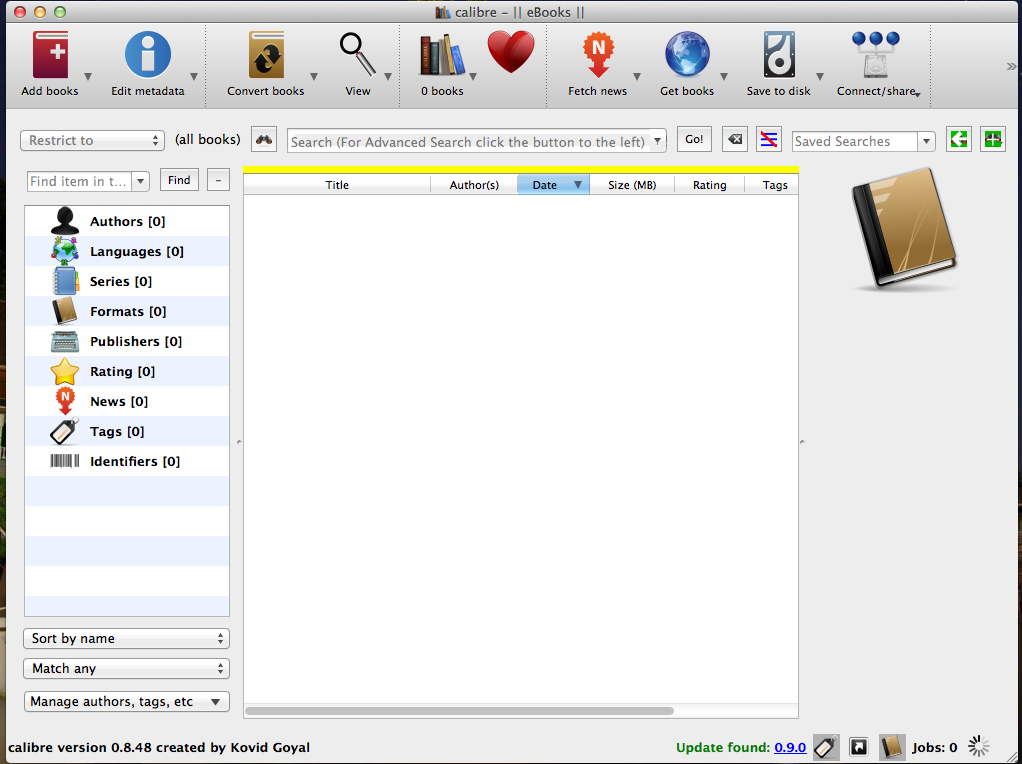
    Click on the Add Books button on the toolbar. You will be presented with a ‘Select Books’ dialog window
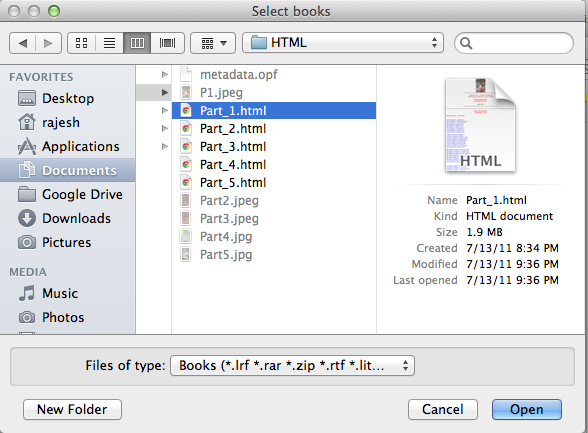
    Select the HTML file that you wish to convert and select ‘Open’ button. Your book should be now added to the library and Calibre recognizes this as a ZIP file as shown below.

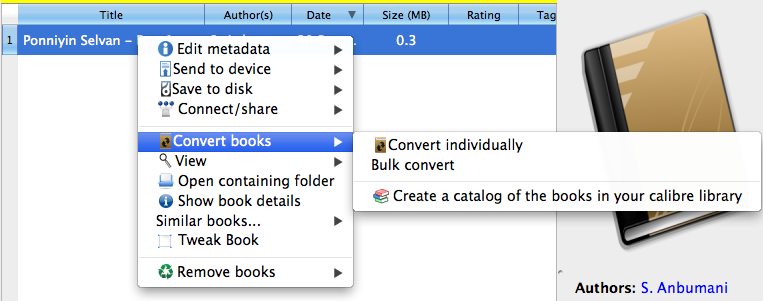
    After the book is added, right click on the book in the library and choose, Convert Books -> Convert Books Individually Option.
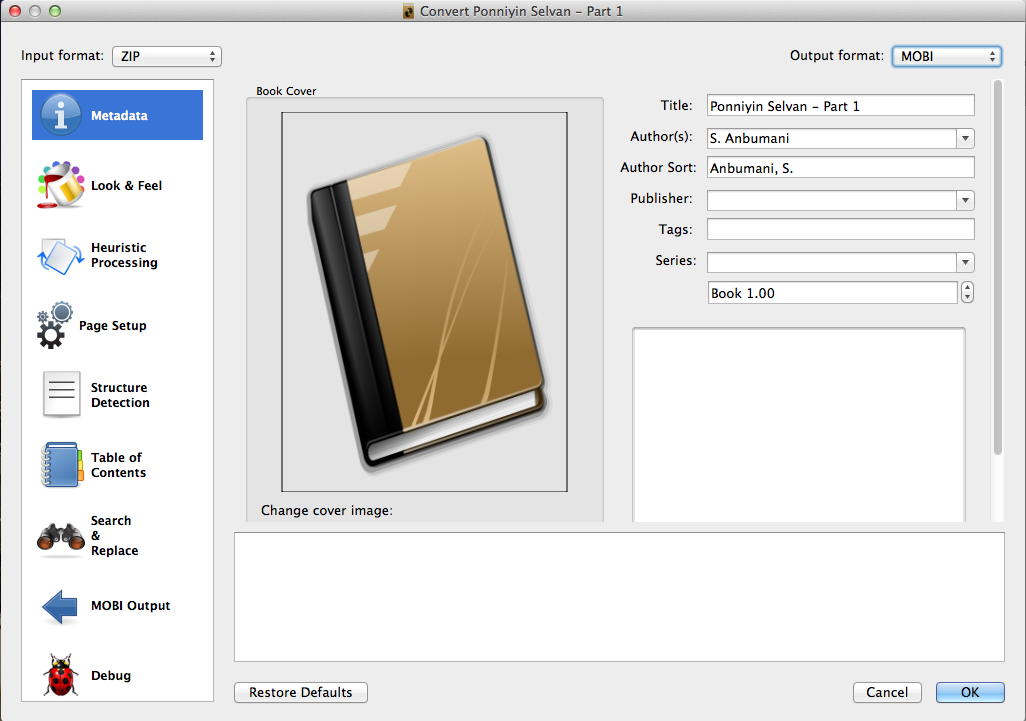
    This presents the Convert Dialog. Choose the Format that you wish to convert to. For Kindle, choose MOBI. For iPad choose EPUB. All other parameters are optional. Click on OK in the dialog to begin conversion
    Once the conversion job is complete, the Library window will show the new format available.
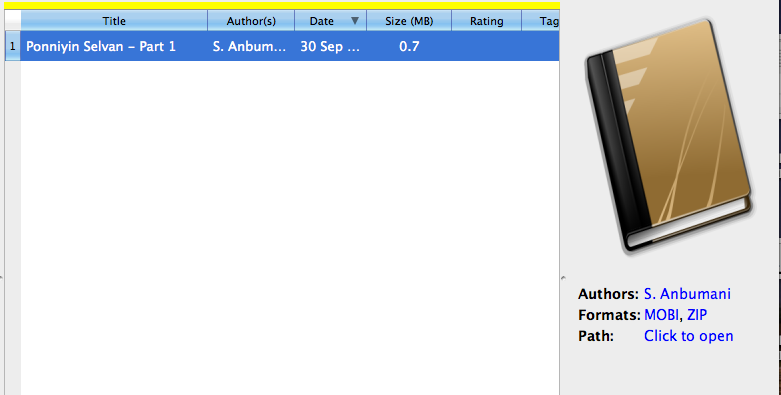
    Now using Calibre, if the device is attached, you can use the Send to Device option and transfer it to iPad or Kindle. Happy Reading!

  • Ponniyin Selvan on Kindle

    My current employers, Sagitec Solutions LLC, presented a Kindle Touch as the  Christmas and New Year 2012 gift. I have been long wanting to buy one as I gifted my Kindle Keyboard to my dad when I went back home for my marriage.

    I have been downloading books from Google Books, mostly classics that are free and have been reading them till now. My wife wanted to read tamil books on her iPad and I have been downloading HTML files from projectmadurai website and converting them to ePUB format that is compatible with iPad. Here I have to mention the good work of people at projectmadurai. They have a good collection of tamil literary works which is made available to everyone in unicode tamil and TSCII tamil formats.

    After I received the Kindle Touch, I wanted to read the tamil books on the Kindle. So I was looking all over to get the Font Hack installed on the Kindle Touch to have it display Tamil Fonts. But the new kindle supports Unicode. So I didn’t need to jailbreak or install any hacks on the Kindle. What I needed is to convert the files to MOBI format that is parsed by Kindle.

    The first book that I converted was ‘Ponniyin Selvan’, the great tamil classic by Kalki. To convert the book, all you need is the software ‘calibre’ which is a free software and the UNICODE html version of the book found in projectmadurai website. I am not publishing the books that I converted because, even though the books are released under GPL license, I have no written consent from the authors that allows me to publish the books.

    I was originally not interested in reading the book as everytime I took the book, I got put off by the lengthy introduction to the hero, Vanthiyathevan. But this time, I thought I should not give up. After moving through the first chapter, I feel that this book is not the kind that I thought. It is fast paced and contains a lot of historical facts over which the story is spun. I am impressed.

  • நாய் பெற்ற தெங்கம்பழம் போல்!

    நாய் பெற்ற தெங்கம்பழம் போல்!
    ஸ்ரீகாந்த் தின் நண்பர்கள்!
    – உவம விளக்கம் தருக.

    நாய் – உவமை.
    ஸ்ரீகாந்த் – உவமேயம்.
    போல் – உவம உறுப்பு.

    உவம விளக்கம்:
    நாய் ஒரு தேங்காயை பெருமானால், அது தானும் பயன் பெறாமல், பிறரையும் அண்ட விடாமல் அலையும். அது போல, ஸ்ரீகாந்த்…. நிற்க.